
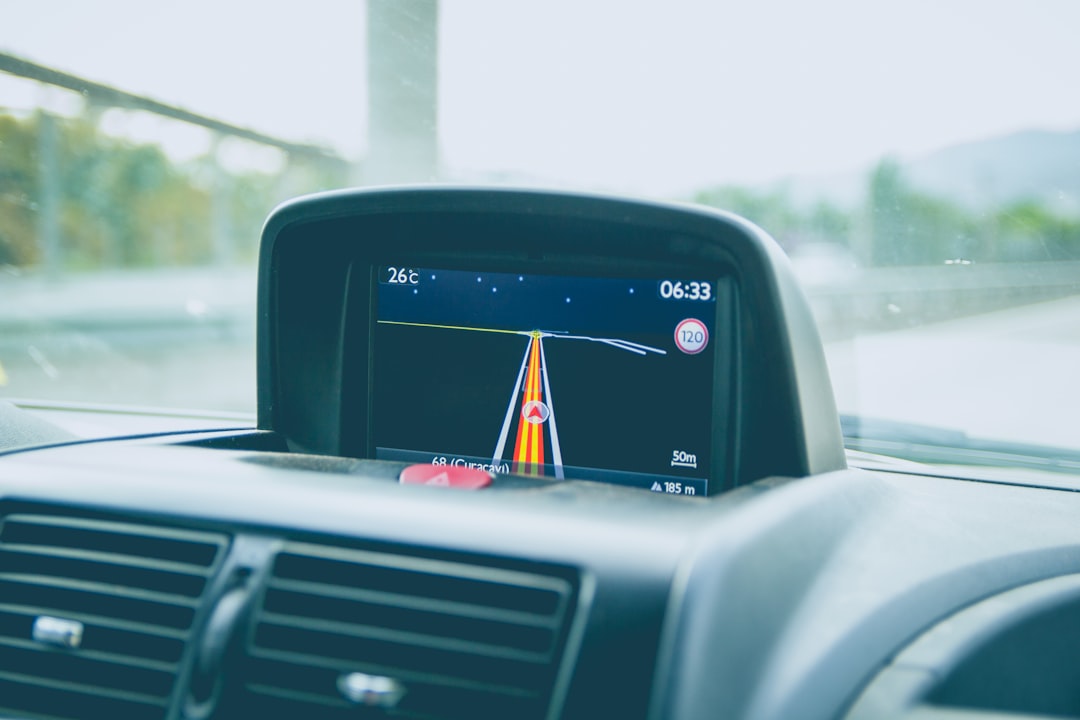
Why Rental Car Fleets Need GPS Tracking
Whether you manage a fleet of rental vehicles, run a small car-sharing operation, or own just a handful of cars that go out on loan, keeping tabs on where those vehicles are — and how they’re being driven — is one of the most practical things you can do to protect your investment. A GPS tracker for rental cars closes the gap between handing over the keys and knowing, at any moment, exactly what’s happening to your asset.
This guide is written for fleet managers, small-business owners, and entrepreneurs in the rental industry who want a plain-language breakdown of how GPS tracking works, which device types fit rental situations, what to look for, and how much to budget. If you’re entirely new to GPS tracking, you’ll leave with a solid foundation. If you’ve already been shopping around, the comparison table and FAQ should help you cut through the noise.
—
How GPS Tracking Works
The system has three moving parts, and once you understand each one, the whole thing clicks.
Satellites. A constellation of GPS satellites orbits the Earth and broadcasts timing signals. A GPS device picks up signals from several satellites simultaneously and uses the slight differences in arrival time to calculate its position — typically accurate to within a few meters under open sky. Accuracy can dip in dense urban canyons or heavy tree cover, but for on-road vehicles this is rarely a meaningful problem.
The device. This is the small piece of hardware installed in or on the vehicle. It receives the satellite signal, packages it with a timestamp and other data (speed, heading, ignition status), and then pushes that data over the cellular network — the same networks your phone runs on — to a cloud platform.
The platform and app. This is where you actually see everything. Most providers offer a web dashboard and a mobile app. You can watch vehicles move on a live map, replay a trip from the previous week, set up geofences (virtual boundaries that trigger alerts when crossed), and pull reports on driver behavior, fuel usage, and idle time.
Update frequency matters more than most buyers realize. Most trackers report a position every 30 to 60 seconds by default. Some platforms let you tighten that to roughly every 10 seconds when a vehicle is in motion — useful if you’re tracking a high-value rental in a theft-risk area. Faster refresh generally costs a bit more, either in the plan tier or in data consumption, so it’s worth thinking about whether you genuinely need near-real-time updates or whether a standard interval is fine.
—
Types of GPS Trackers and Which Fits Rental Cars
Three device form factors dominate the market, and the right choice depends on how your rental operation works.
| Device Type | Power Source | Installation | Best Fit | Drawback |
|---|---|---|---|---|
| OBD-II Plug-In | Vehicle OBD-II port | Self-install, seconds | Passenger cars, light vans | Renters can unplug it |
| Hardwired | Vehicle 12V/battery | ~15–30 min, often professional | Fleet vehicles requiring tamper-resistance | More effort to move between vehicles |
| Battery-Powered Beacon | Internal battery (months to years) | Magnetic mount or hidden install | Trailers, equipment, covert backup | No continuous power; update frequency limited by battery mode |
OBD-II plug-ins are the most common entry point for small rental fleets. They slide into the diagnostic port under the dashboard and begin transmitting within minutes. The trade-off is visibility — a renter who knows what they’re looking at can pull it out. For many low-risk consumer rentals this is perfectly acceptable. For higher-risk situations, it’s not.
Hardwired units are wired directly into the vehicle’s power supply, hidden behind trim panels. They’re far more tamper-resistant and are the preferred option for established rental fleets. Installation takes around 15 to 30 minutes and is usually done by an auto-electrician or a fleet installer. Because the device is concealed, renters are far less likely to interfere with it.
Battery-powered beacons are most relevant if you’re also renting trailers, equipment, or tools alongside vehicles. They’re often IP67-rated for water and dust resistance, mount magnetically, and can run for months or even years on a single charge depending on the update interval. They’re also useful as a covert secondary device inside a rental vehicle if you’re operating in high-theft conditions. For more on this category, see our guide to asset tracking and GPS for equipment and tools.
For most dedicated rental car fleets, a hardwired unit is the preferred primary tracker. OBD-II works well when you’re just starting out or running a handful of vehicles and want something you can move around easily.
—
What to Look For in a Rental Car GPS Tracker
Shopping for trackers can feel overwhelming quickly. These are the criteria that actually move the needle for rental operations.
Update frequency. Standard 30–60 second intervals are fine for most rental monitoring. If you’re in a high-theft market or need precise trip-boundary data for billing purposes, look for plans that offer faster polling.
Geofencing and alerts. A geofence lets you draw a zone on a map — your city, your permitted driving area, a state border — and get an instant alert if the vehicle crosses it. For rental businesses, this is one of the most valuable features. Pair it with speed alerts and after-hours movement alerts for a complete picture.
Driver behavior reporting. Hard braking, rapid acceleration, sharp cornering, and excessive speed are documented and reportable. This data supports damage dispute resolution and can inform what you charge renters in future or whether you continue renting to a particular customer.
Subscription and contract terms. Some platforms require annual contracts; others are month-to-month. For a small or growing rental fleet, flexibility matters. Read the fine print on cancellation terms before committing. See our deeper breakdown of GPS tracker subscriptions explained.
Coverage. Most rental operations stay domestic, and domestic-only SIM coverage is cheaper. If you rent to customers who cross into Canada or Mexico, verify the plan covers those areas. International coverage varies significantly by provider.
App quality. You’ll use this daily. Look for a clean map interface, fast load times, easy alert configuration, and decent customer support. Read recent reviews — app quality is one area where providers differ noticeably.
Installation complexity. If you’re managing dozens of vehicles, consider whether you have someone in-house who can handle installs or whether you’ll need a mobile installer. Some providers offer drop-ship kits with guided install videos; others have installer networks.
—
How Much Does It Cost?
GPS tracking for rental cars involves two separate costs: hardware and the ongoing subscription.
Hardware is a one-time purchase. OBD-II plug-ins tend to be the most affordable entry point. Hardwired units are typically mid-range. Battery-powered asset beacons vary widely depending on battery capacity and ruggedness. Expect to pay more for devices with longer battery life, better build quality, or integrated dashcam functionality.
Subscriptions are where the ongoing cost lives. As a general guide:
| Use Case | Typical Monthly Subscription Range (per vehicle) |
|---|---|
| Personal / single vehicle | Single to low double digits (dollars) |
| Small fleet (a handful to ~25 vehicles) | Low to mid double digits per vehicle |
| Enterprise / large fleet | Mid double digits and up; custom pricing common |
Annual contracts usually come with a lower per-month rate but lock you in. Month-to-month plans offer flexibility at a slightly higher price. Some providers also charge a one-time activation fee — ask about this upfront.
For a small rental business tracking five to fifteen vehicles, you’re typically looking at a low-to-mid double-digit monthly cost per vehicle for a capable plan with geofencing, alerts, and trip history. Multiply that across your fleet and it adds up, so it’s worth comparing several providers side by side rather than going with the first one you find.
—
Common Mistakes to Avoid
Buying on price alone. The cheapest tracker often cuts corners on update frequency, app quality, or server reliability. For a rental business, a device that goes offline or shows stale locations is worse than useless — it gives you false confidence. Compare value, not just the monthly rate.
Ignoring contract terms. Some providers auto-renew annual contracts with little notice. Others lock hardware to their own SIM and platform, making it difficult to switch. Read the cancellation policy before you sign anything.
Overlooking coverage. A domestic-only plan works perfectly until a renter drives across the border and the tracker goes dark. Know your coverage area and match the plan to it.
Skipping geofence setup. Buying a tracker and then only checking it manually is a missed opportunity. Setting up geofences and alerts means the system works for you automatically — you only get notified when something is actually wrong.
Not disclosing tracking to renters. This isn’t just a courtesy — in most US states, there are legal considerations around privacy and disclosure. Consult your rental agreement and legal counsel to make sure your disclosure language is appropriate. GeoTracking.com is a comparison resource, not a legal advisor; verify your obligations with an attorney familiar with your jurisdiction.
—
How to Choose the Right Tracker for Your Rental Fleet
The best tracker is the one that matches your specific operation — not the one with the most features or the highest marketing spend.
Start by answering three questions: How many vehicles do you need to track? What’s your biggest risk (theft, renter misuse, compliance, billing accuracy)? Do you need month-to-month flexibility or are you comfortable with an annual commitment for a better rate?
Use those answers to filter the market. A solo operator renting out two or three cars part-time has very different needs from a 50-vehicle regional rental company. Our guide to fleet tracking goes deeper on multi-vehicle operations, and GPS trackers for vehicles covers single and small-fleet scenarios well.
When comparing options side by side, look at:
- Hardware cost (one-time) vs. subscription (monthly or annual)
- Update frequency available at each plan tier
- Geofence and alert capabilities
- App ratings and support reputation
- Contract flexibility
If you also rent trailers or equipment, consider whether a single platform can handle both vehicle trackers and battery-powered asset beacons, saving you from juggling two separate dashboards. Our fleet management solutions hub covers platforms that handle mixed fleets well.
—
FAQ
Is it legal to put a GPS tracker in a rental car?
As the vehicle owner, you generally have the right to track your own property. However, most states require that renters be informed of tracking in the rental agreement. This is a legal question that varies by jurisdiction — review your rental agreement language with an attorney and check your state’s privacy statutes before deploying trackers.
Can a renter remove or disable the tracker?
An OBD-II plug-in can be removed by anyone who knows what to look for. A hardwired unit hidden behind trim panels is significantly harder to disable without tools and knowledge. For higher-risk rentals, a hardwired or concealed device is worth the extra installation effort.
How much data does a GPS tracker use?
GPS trackers transmit small packets of location and telemetry data, so data usage is very low — typically a few megabytes per month per device. This is generally bundled into the subscription cost rather than billed separately.
What happens if the tracker loses cellular signal?
Most devices store location data onboard and upload it once connectivity is restored. You’ll see a gap in real-time tracking during the outage, but the trip history is usually preserved. Check each provider’s offline data buffering specs before buying.
Do GPS trackers work in Canada and Mexico?
It depends on the device and plan. Domestic-only plans typically cut out at the US border. Plans with international SIM coverage extend across North America and sometimes globally. If cross-border rentals are part of your business, confirm coverage before selecting a plan.
Can GPS tracking help with renter disputes over damage?
Yes. Trip history, speed logs, and driver-behavior data can provide useful context if a renter disputes responsibility for damage. The data won’t tell you exactly what happened, but timestamps and location records can help establish a timeline. Pair GPS data with a pre- and post-rental inspection process for the strongest documentation.
—
Finding the Right GPS Tracker for Your Rental Operation
Protecting a rental fleet comes down to having the right information at the right time — and a GPS tracker is one of the most cost-effective ways to get it. Whether you’re protecting a handful of vehicles from misuse, setting geofences to enforce permitted driving zones, or building the case for a renter dispute, the data a well-chosen tracker provides is genuinely useful on a daily basis.
GeoTracking.com is an independent comparison resource that covers fleet, asset, vehicle, pet, and personal tracking across more than 50 trackers and platforms. There’s no pay-for-placement — rankings reflect fit, not commissions — and affiliate links are always disclosed. Tell the tool what you need (a rental fleet, a single vehicle, trailers and equipment, or a mix), and it matches you to options that fit your use case and budget, with pricing ranges and trade-offs laid out plainly. Head to Get Started to find your match in about 60 seconds, free and without a sales call.