
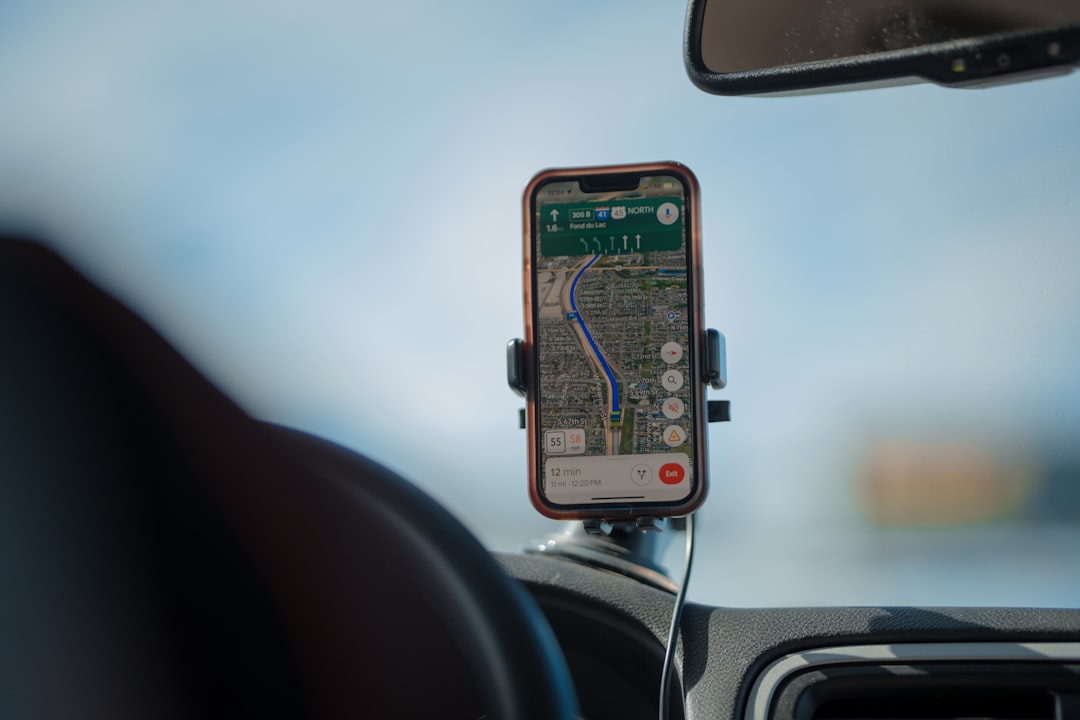
Why Speeding Alerts Belong in Every Vehicle Monitoring Plan
Whether you manage a delivery fleet, run a small contracting business, or simply want to know how your teenager drives the family car, speeding is one of the most actionable data points GPS tracking can give you. A single alert — “Vehicle 7 is traveling 22 mph over the posted limit on Route 9” — can prompt a quick coaching call, prevent an accident, or reduce a liability claim before it happens.
This guide is written for anyone considering GPS tracking with a focus on speed monitoring: fleet managers watching dozens of vehicles, small business owners keeping tabs on a handful of service trucks, and individuals who want basic oversight of a personal vehicle. You do not need a technical background to follow along. By the end, you will know how speeding alerts work, what to look for in a tracker, what it realistically costs, and how to avoid the most common buying mistakes.
—
How GPS Speed Tracking Actually Works
GPS stands for Global Positioning System. A network of satellites orbits the earth and constantly broadcasts timing signals. A GPS device in your vehicle receives signals from multiple satellites simultaneously and uses the differences in those signals to calculate its exact position. That position is then transmitted over the cellular network — the same infrastructure your phone uses — to a cloud platform where you see it on a map.
Speed is derived from position changes over time. As the device reports its location repeatedly, the platform calculates how quickly the vehicle moved from point A to point B. If that calculated speed exceeds a threshold you set, the system fires an alert: a push notification to your phone, an email, or an in-dashboard flag.
Update frequency matters enormously for speed monitoring. Most consumer trackers report location every 30 to 60 seconds. At highway speeds, a vehicle can travel a significant distance in 60 seconds, which means a brief burst of speeding might be captured or might be missed depending on timing. Higher-end fleet telematics platforms can push updates as fast as roughly every 10 seconds — more expensive, but much more responsive for real-time alerts. When speed accuracy is a priority, look for trackers that offer configurable update intervals.
The app or web platform is where you spend most of your time. A good platform shows a live map with current vehicle positions, a trip history you can replay, speed graphs overlaid on the route, and a clear alert log. Some platforms also generate driver behavior scores that factor speeding into a composite rating — useful for coaching conversations.
—
Types of GPS Trackers and Which Fits Your Situation
Not every tracker is the right shape for every job. Three main form factors exist, and each has a natural home.
| Tracker Type | Installation | Best For | Power Source |
|---|---|---|---|
| OBD-II Plug-In | Seconds — plug into the OBD-II port under the dash | Personal vehicles, small fleets, quick setup | Draws from vehicle power |
| Hardwired | 15–30 minutes, typically by a technician | Fleet vehicles, company trucks, permanent installs | Wired to vehicle battery |
| Battery-Powered Beacon | No install required | Trailers, equipment, assets without power, hidden placement | Internal battery, often lasting months to years |
For most individuals tracking a personal vehicle or a family car, an OBD-II plug-in is the easiest entry point. It takes seconds to install and draws power from the car, so there is nothing to charge. The trade-off is visibility — anyone who notices it can unplug it.
Fleet operators often prefer hardwired units because they cannot be easily removed and can tap into additional vehicle data like ignition status and engine diagnostics. A hardwired tracker is less likely to lose power unexpectedly mid-shift.
Battery-powered beacons serve a different purpose — tracking trailers, construction equipment, or valuable assets that have no onboard power. They are not ideal for speed-alert use cases because their update frequency is often lower to preserve battery life. For speed monitoring specifically, a powered tracker (OBD-II or hardwired) is the right call.
For vehicle-specific guidance, the GPS trackers for vehicles hub covers this in depth. If you manage a mixed fleet of trucks and trailers, asset tracking is worth a look for the trailer side.
—
What to Look For When Comparing Speeding Alert Features
Speeding alert quality varies widely across trackers. Here is a practical checklist of what to evaluate before committing.
Update Frequency: As covered above, faster updates mean more accurate speed detection. If real-time speed monitoring is the core goal, look for platforms offering updates closer to every 10 seconds, and confirm whether that faster rate costs extra.
Alert Customization: The best platforms let you set speed thresholds by vehicle, driver, or zone. You might want a stricter limit for a new driver and a higher threshold for an experienced highway driver. Some platforms also distinguish between speeding over a fixed mph threshold and speeding relative to the posted speed limit — the latter requires map data integration and is more sophisticated.
Geofencing and Zone Alerts: Speed alerts become more powerful when combined with geofences. You can create a zone around a school zone or a client’s neighborhood and set a lower speed threshold specifically inside that boundary. For more on this feature, the fleet tracking hub covers geofencing for commercial operations.
Driver Behavior Scoring: Many platforms convert individual events — speeding, hard braking, rapid acceleration — into a composite score per driver. This makes coaching easier and gives you a trend view rather than a raw event log.
Trip History and Playback: When reviewing an alert after the fact, trip playback shows you exactly where the vehicle was, how fast it was going at each point, and what happened before and after the event.
Reporting: Look for scheduled reports (weekly driver score summaries, monthly fleet speed trends) that arrive in your inbox without you having to log in and pull them manually.
Coverage: Most consumer-tier trackers operate on domestic cellular networks. If your vehicles cross into Canada or Mexico, confirm the device supports those networks. Enterprise platforms often include multi-network SIM cards with broader coverage.
App Quality: Read recent user reviews of the mobile app. A platform with great hardware but a clunky app will frustrate you daily. Look for reliability, offline access, and notification delivery speed.
If you want a deeper look at what separates basic trackers from full fleet management platforms, fleet management solutions and tracker subscriptions are both good follow-up reads.
—
How Much Does GPS Tracking with Speeding Alerts Cost?
GPS tracking has two cost layers: the hardware you buy once and the subscription you pay ongoing.
| Use Case | Hardware (One-Time) | Monthly Subscription | Contract |
|---|---|---|---|
| Personal / Single Vehicle | Low-to-mid double digits to ~$100+ | Low single digits to low double digits per month | Often month-to-month |
| Small Fleet (2–20 vehicles) | Similar per-unit range; volume may lower cost | Low-to-mid double digits per vehicle per month | Annual contracts common |
| Enterprise Fleet | Higher per unit; sometimes bundled | Mid-to-high double digits per vehicle; custom pricing common | Annual or multi-year typical |
For a single personal vehicle, you can enter the market at a relatively low cost — a modest one-time hardware purchase and a monthly subscription in the single digits to low double digits. Features at this tier are typically adequate for speed alerts, geofences, and trip history, but driver scoring and advanced reporting are often limited or absent.
Small business owners tracking a handful of work trucks will pay more per vehicle per month in exchange for richer features: driver behavior scoring, scheduled reporting, multi-user access, and stronger customer support. Hardware at this tier is similar per unit but may be discounted when ordering in quantity.
Enterprise fleet platforms layer in AI dashcams, ELD compliance tools, IFTA fuel-tax reporting, and deep integrations — all at higher price points, often with custom contracts. If your operation has compliance requirements under FMCSA rules (Hours of Service, Driver Vehicle Inspection Reports), confirm that the platform supports those before signing.
Activation fees exist on some plans, and a few platforms charge extra for faster update intervals. Always read the cancellation terms — some contracts auto-renew and have early-termination fees.
—
Common Mistakes to Avoid
Buying on price alone. The cheapest tracker may update only once per minute and send alerts with a delay. For casual location awareness, that is fine. For meaningful speed monitoring, slow updates mean missed events.
Ignoring contract terms. A low monthly rate with a two-year lock-in can become expensive if your needs change. Understand the cancellation policy before you sign.
Overlooking update frequency. This deserves repeating. Marketing materials often lead with features like “real-time tracking” without specifying what that means. Clarify the default update interval and whether a faster rate requires a premium add-on.
Not checking coverage. A tracker that loses signal in rural areas your drivers regularly pass through will create gaps in your speed data. Confirm the cellular network(s) the device uses.
Skipping the installation question. An OBD-II tracker that sits in plain sight in a company vehicle can be unplugged. A hardwired unit cannot. For employee monitoring, the physical security of the device matters.
For a full walkthrough of setup considerations, the installation and setup guide covers both OBD-II and hardwired installs in plain terms.
—
How to Choose the Right Speeding Alert Tracker
Match the tracker to the use case first, then compare platforms side by side on the features that matter most to you.
- Personal vehicle: Prioritize ease of setup (OBD-II), month-to-month flexibility, and a clean mobile app. Speeding alerts, geofences, and trip history are the core features. You likely do not need enterprise reporting.
- Small business fleet: Prioritize driver behavior scoring (you want coaching data, not just raw events), multi-vehicle dashboards, alert customization by vehicle or driver, and customer support that answers the phone.
- Enterprise / compliance-focused fleet: Prioritize ELD certification, HOS logging, IFTA support, AI dashcam integration, and a platform your dispatchers can learn quickly. Verify compliance claims against the FMCSA’s official ELD registry, as regulations can change.
Industries with specific telematics needs — logistics, construction, field services — often require platforms that integrate with dispatch software or job management tools. The fleet tracking and industries pages cover sector-specific considerations.
When comparing options side by side, look at: update frequency, alert customization depth, reporting quality, app reviews, contract terms, and total cost over 12 months including hardware and subscription.
—
FAQ
How accurate are GPS speed readings?
GPS speed calculations are generally reliable but not identical to a speedometer, which reads from the drivetrain. Because GPS speed is derived from position changes over time, brief bursts of speed between update intervals may not be captured. A tracker updating every 10 seconds is more likely to catch a momentary spike than one updating every 60 seconds. Real-world conditions — tall buildings, tunnels, heavy tree cover — can also briefly affect signal quality.
Can I set different speed thresholds for different drivers or vehicles?
Many small-fleet and enterprise platforms allow per-vehicle or per-driver threshold configuration. Consumer-grade trackers often offer only a single global threshold. If driver-level customization is important to you, confirm this feature is available before purchasing.
Do speeding alerts work in real time or after the fact?
The better platforms deliver alerts within seconds to a minute or two of the event occurring. The lag depends on update frequency and how quickly the platform processes and pushes the notification. Some lower-cost trackers batch data and deliver alerts several minutes late — useful for trip review but not for real-time intervention.
Is it legal to use GPS tracking in a vehicle?
In the US, tracking a vehicle you own is generally permissible. Tracking a vehicle you do not own, or tracking an employee without disclosure, involves legal considerations that vary by state. Employers typically should inform employees that company vehicles are monitored. This is not legal advice — consult the relevant regulations and, if needed, an attorney for your specific situation.
Will a GPS tracker drain my car’s battery?
An OBD-II plug-in draws a small amount of power continuously. For most vehicles driven regularly, this is negligible. For vehicles parked for extended periods, it can contribute to battery drain over time. Some trackers have a low-power mode that activates when the ignition is off. Check the device’s standby power consumption if this is a concern.
What happens to speed data if cellular coverage is lost?
Most modern GPS trackers store data locally when cellular coverage drops and sync it to the platform once the connection is restored. This means your speed history will fill in after the vehicle returns to coverage, but real-time alerts will not fire during the gap. In areas with spotty coverage, this is worth factoring into how you use the alert system.
—
Find the Right Tracker for Your Speed Monitoring Needs
Speeding alerts are one of the most immediately useful features in GPS tracking — whether you are trying to protect a teenage driver, reduce fleet liability, or keep service vehicles within safe limits. The technology is straightforward, but the market is crowded, and the differences between platforms matter more than the marketing copy suggests.
GeoTracking.com is an independent comparison resource that covers more than 50 GPS trackers and platforms across fleet, asset, vehicle, personal, and pet use cases. Rankings reflect fit for the reader’s situation — not commissions or pay-for-placement arrangements. Affiliate links are always disclosed.
If you want a faster path to the right answer, use Get Started — tell the tool what you are tracking, how many vehicles or assets, and what features matter most, and it will match you to the options that fit. It takes about 60 seconds, it is free to use, and there are no sales calls.